Mixer
Upload your tracks or record in the browser. Abraham builds the mix (volume, pan, EQ, compression and ambience) and you can adjust everything by hand if you like.
Open the MixerFrom the first take to the finished track: multitrack mixer, vocal tuning, stem separation and mastering. All in the browser, in one place.

before: −18,3 LUFS
Upload your tracks or record in the browser. Abraham builds the mix (volume, pan, EQ, compression and ambience) and you can adjust everything by hand if you like.
Open the MixerVocal tuning that keeps your voice. Record in the browser or upload a file: Abraham tunes every note to your song's key and you shape it note by note.
Split your song into vocals, drums, bass and other instruments.
Upload your mix and get a 24-bit master with loudness, true peak and limiter reduction measured on your track. Free preview.
Open mastering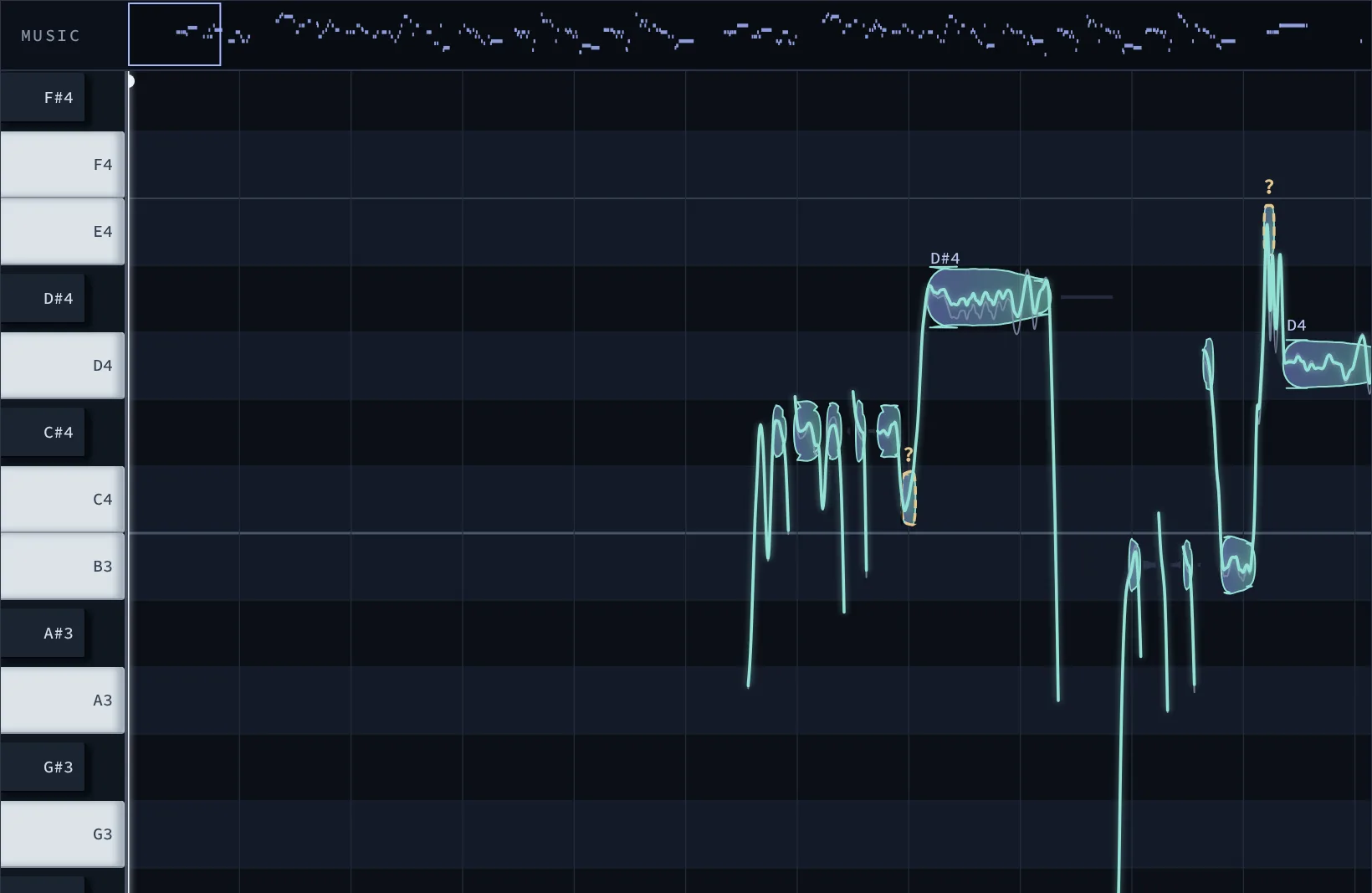
Sing in the virtual booth right in your browser, or upload a vocal you already have. Add the backing track so Abraham knows the key and the chords.
Every note is tuned to the key of your song, trained on thousands of real decisions by professional producers. When a note is unclear, Abraham shows you the best options to hear and choose.
Move notes, fine-tune pitch, vibrato and timing, split them, or draw the curve yourself. Add harmonies sung in your own voice.

EQ, compression and loudness shaped around your track.
Drag in your mix — WAV, FLAC, AIFF, MP3 or M4A, up to 200 MB. You'll see the upload progress in real time.
Streaming, club or transparent. Each format aims at a different loudness target, and you can duplicate any of them to adjust EQ, compression, saturation and limiter.
The preview is free. The final master arrives as a 24-bit WAV with integrated LUFS, true peak in dBTP and limiter gain reduction measured on your track.
WAV, FLAC, AIFF, MP3 or M4A, up to 200 MB per track. One track at a time, in stereo, at the sample rate you already work in.
A 24-bit WAV ready for distribution, plus a reduced-quality preview so you can check it before paying.
Integrated LUFS tells you how loud the track really sounds. True peak tells you whether it will clip after conversion. Gain reduction shows how hard the limiter worked. Without those three, all you have is an opinion.
It is the last step before release: adjusting tonal balance, dynamics and level so the track sounds consistent on any system and reaches the loudness platforms expect.
Integrated LUFS is how loud the track sounds on average. True peak in dBTP is the real peak after conversion, and it is what keeps the file from clipping. Gain reduction is how many decibels the limiter held back to reach the target.
Every file sits in private storage, reachable only by you through a short-lived link. The original file is deleted 7 days after processing. The master and the preview are kept.
The preview is free and unlimited. Downloading the master costs 1 credit, and every new account starts with 1 credit. Packs are 1 credit for US$ 6, 5 for US$ 25 and 20 for US$ 80. Credits do not expire.
It tunes a sung vocal to the key of your song while keeping the singer's own voice, and lets you edit every note: pitch, timing, vibrato, harmonies and effects.
Yes, to learn how your voice sounds and to decide the right notes. It works only on the singer's own voice, with their permission, and never creates someone else's voice or artificial music.
Your recordings and your voice profile are private to your account. You can delete them at any time, and deleting a voice profile also cancels the permission to use it.
Pricing will be announced when Tuning Studio opens.